Refurbished Laptops in Ahmedabad: Complete Buying Guide for Dell, HP & Lenovo
 Kapadia Infotech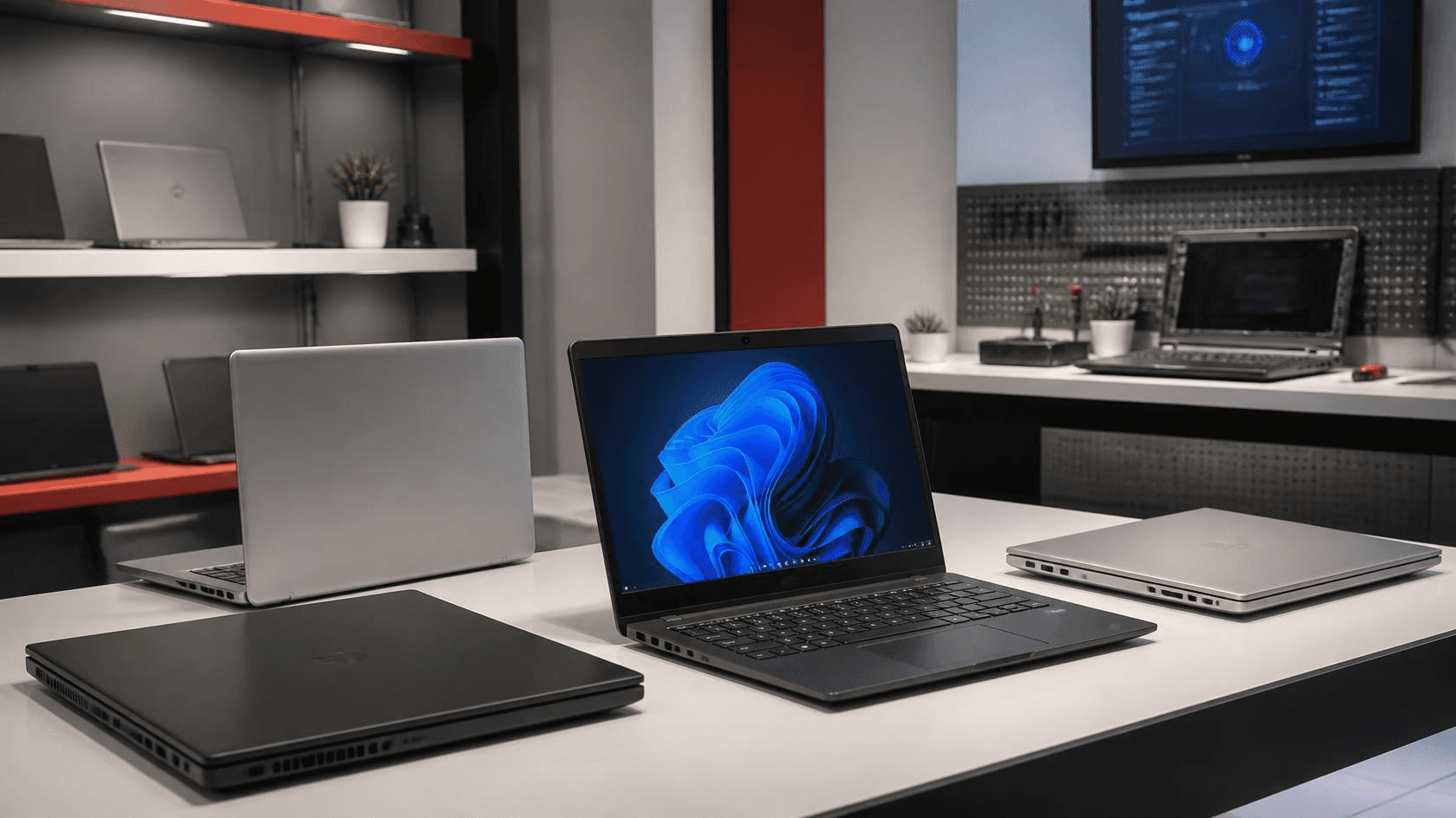
Introduction: Looking for a Refurbished Laptop in Ahmedabad?
If you are searching for a refurbished laptop in Ahmedabad, you are likely trying to get better specifications and business-class hardware without paying the price of a brand-new laptop. For students, professionals, freelancers, home users and small businesses, a carefully selected refurbished laptop can offer excellent value when the device has been properly inspected, tested and prepared for use.
However, not every used laptop is the same. The terms refurbished, second-hand and used laptop are often used interchangeably, even though the buying experience can be very different. The condition of the laptop, battery health, SSD or hard drive, display, keyboard, ports, charger, operating system, warranty and after-sales support all matter.
This guide explains what you should know before buying a refurbished laptop in Ahmedabad and how to choose a suitable Dell, HP or Lenovo laptop according to your budget and requirements.

What Is a Refurbished Laptop?
A refurbished laptop is a previously owned or professionally used laptop that has been prepared for resale after evaluation, testing, cleaning, configuration and, where required, replacement or upgrading of components.
The important point is that refurbished does not simply mean old. A good refurbished laptop should be evaluated for functionality and condition before being offered to another customer.
For example, a business-class laptop that was originally designed for corporate use may still provide strong performance for office applications, accounting, browsing, programming, online meetings and everyday professional workloads even after its first ownership cycle.
What Can Be Checked in a Refurbished Laptop?
- Processor and overall system performance
- RAM capacity and functionality
- SSD or storage health
- Battery condition
- Display quality and screen condition
- Keyboard and touchpad functionality
- USB, HDMI and other available ports
- Wi-Fi and Bluetooth connectivity
- Webcam, microphone and speakers
- Charging and power adapter functionality
- Operating system and driver configuration
- Physical condition and signs of damage
Refurbished vs Used vs Second-Hand Laptop: What's the Difference?
Understanding this difference can help you make a better purchase decision.
| Factor | Refurbished Laptop | Used / Second-Hand Laptop |
|---|---|---|
| Testing | Should be tested and evaluated before resale | Testing can vary considerably |
| Condition | Usually evaluated and prepared for resale | Condition depends on previous usage |
| Components | May include upgraded or replaced components | Usually sold in existing condition |
| Software | Can be configured and prepared before delivery | Depends on seller and previous owner |
| Warranty | May be available depending on seller and product | Often limited or unavailable |
| After-sales support | Depends on the refurbisher or retailer | Often depends entirely on the seller |
The term refurbished itself should not be treated as a guarantee of quality. The seller, testing process, condition, warranty and support are what make the difference.
Why Are Refurbished Laptops Popular in Ahmedabad?
Ahmedabad has a large mix of students, professionals, traders, service businesses, startups, SMEs, educational institutions and established companies. Many of these users need dependable computing hardware without necessarily requiring the latest premium laptop.
A refurbished laptop can make sense when your priority is getting the right combination of performance, business-grade build quality, storage, RAM and budget.
Common Buyers of Refurbished Laptops
- Students looking for an affordable laptop for education
- Professionals working with Microsoft Office and business applications
- Freelancers and remote workers
- Small businesses and startups setting up employee systems
- Accounting and administrative users
- Home users requiring a reliable everyday computer
- Developers and programmers looking for better specifications within a budget
- Businesses purchasing multiple laptops for employees
Dell vs HP vs Lenovo: Which Refurbished Laptop Brand Should You Choose?
There is no single brand that is automatically the best for every buyer. For refurbished laptops, the specific model, processor generation, RAM, SSD, display, physical condition and overall configuration are often more important than the logo on the lid.
Dell Refurbished Laptops
Dell's business-oriented laptop families are commonly considered when buyers want practical office hardware, good connectivity and serviceable designs. Models from the Dell Latitude family can be suitable for office work, accounting, business applications, browsing, online meetings and professional use, depending on the exact configuration.
When evaluating a refurbished Dell laptop, look beyond the model name and check the processor generation, RAM, SSD, battery condition, display and physical condition of the particular unit.
HP Refurbished Laptops
HP business laptops such as the HP EliteBook range are popular options for professionals and organizations looking for business-oriented hardware. Depending on the model, an EliteBook may offer a strong combination of build quality, portability, connectivity and performance for professional workloads.
As with any refurbished laptop, compare the exact configuration instead of choosing only by brand or series.
Lenovo Refurbished Laptops
Lenovo ThinkPad laptops are widely recognized for their business-focused design and productivity-oriented features. Depending on the model and condition, a refurbished ThinkPad can be suitable for programming, office applications, accounting, documentation and professional work.
The keyboard, display, battery, ports and SSD should be checked carefully when evaluating a used or refurbished ThinkPad.
What Laptop Specifications Should You Look For?
The right specifications depend on what you actually do with the laptop. Buying the highest specification available is not always necessary, while choosing hardware that is too old can result in a poor experience.
For Students and Everyday Use
Students generally need a responsive laptop for web browsing, online classes, Microsoft Office, presentations, research, video calls and educational applications.
- Modern or reasonably recent Intel Core or AMD Ryzen processor
- 8GB RAM as a practical starting point for many users
- SSD storage rather than a traditional hard drive where possible
- Full HD display where available and suitable for the budget
- Good battery condition
- Working webcam and microphone for online classes
For Office and Business Work
For office users, responsiveness and reliability are usually more important than gaming-level performance.
- Intel Core i5 or comparable processor for many business workloads
- 8GB to 16GB RAM depending on applications
- SSD storage for faster boot and application loading
- Reliable Wi-Fi and Bluetooth
- Comfortable keyboard and usable display
- Good battery and charger condition
- Business-oriented build quality where possible
For Programming and Development
Developers may benefit from more RAM and storage because development environments, browsers, virtual machines, containers and databases can consume significant system resources.
- 16GB RAM is preferable for heavier development workloads
- SSD storage with sufficient capacity for development tools
- Modern multi-core processor
- Good keyboard and display
- USB and external display connectivity
- Upgradeability where supported by the model
For Graphic Design and Content Creation
Users working with Adobe applications, video editing software, 3D applications or other graphics-intensive workloads should pay particular attention to the GPU, CPU, RAM, display and thermal performance.
A basic office refurbished laptop may not be the right choice for these workloads. In such cases, a suitable workstation or higher-performance laptop may provide a better long-term solution.
SSD vs HDD: What Should You Choose in a Refurbished Laptop?
If you are choosing between a laptop with an SSD and one with a traditional mechanical hard drive, an SSD is generally preferable for everyday responsiveness.
An SSD can significantly improve boot times, application loading and general system responsiveness compared with an older mechanical hard drive.
| Feature | SSD | HDD |
|---|---|---|
| Speed | Generally much faster | Slower |
| Moving parts | No mechanical moving parts | Mechanical moving parts |
| Noise | Silent | Can produce mechanical noise |
| Boot and application loading | Faster | Slower |
| Typical recommendation | Preferred for most modern everyday systems | More suitable when large low-cost storage is the priority |
How Much RAM Do You Need?
| RAM | Suitable For |
|---|---|
| 8GB | Web browsing, Office, education and everyday use |
| 16GB | Programming, multitasking and demanding professional applications |
| 32GB+ | Heavy development, virtual machines, professional applications and specialized workloads |
More RAM is not automatically better for every customer. The ideal amount depends on the applications you use and whether the laptop supports future memory upgrades.
15 Things to Check Before Buying a Refurbished Laptop
Whether you are buying from a laptop showroom in Ahmedabad or another seller, use this checklist before making your decision.
- Check the exact model: Confirm the complete model number rather than relying only on the series name.
- Check the processor: Verify the processor model and generation.
- Check RAM: Confirm the installed memory and whether it can be upgraded.
- Check SSD health: Verify that the storage is functioning correctly and has appropriate health for its age.
- Check the display: Look for dead pixels, unusual brightness issues, lines or visible damage.
- Test the keyboard: Check every important key, including function keys and the touchpad.
- Test USB ports: Connect a compatible device to available USB ports.
- Test HDMI or display output: If you need an external monitor, confirm the required output works.
- Check Wi-Fi and Bluetooth: Verify wireless connectivity.
- Test the webcam and microphone: Particularly important for students and remote professionals.
- Check speakers: Listen for distortion or unusual sound.
- Check battery condition: Battery runtime varies by age, model and usage, so ask about the actual condition.
- Inspect the charger: Ensure the adapter is compatible and functioning properly.
- Inspect the physical condition: Check hinges, chassis, ports and screen frame.
- Ask about warranty and support: Understand exactly what is covered before purchasing.
Why Business-Class Refurbished Laptops Can Be a Good Choice
Many refurbished laptops available in the market come from business-oriented product families. These systems were designed for professional users and organizational environments rather than purely consumer use.
Depending on the model, business laptops can offer features such as durable chassis designs, comfortable keyboards, multiple connectivity options, serviceable components and professional-oriented configurations.
This is one reason models such as Dell Latitude, HP EliteBook and Lenovo ThinkPad are commonly considered when customers are looking for refurbished business laptops.
Should Students Buy Refurbished Laptops?
Yes, a refurbished laptop can be a practical option for students when the configuration is appropriate and the device has been properly checked.
For typical college requirements such as browsing, Microsoft Office, presentations, programming fundamentals, online learning and video calls, you do not necessarily need the latest premium laptop.
A carefully selected refurbished business laptop can provide a better specification-to-price ratio while still offering the features students actually need.
Before Buying a Student Laptop, Check:
- Battery condition
- Webcam and microphone
- Wi-Fi connectivity
- SSD storage
- RAM
- Keyboard condition
- Display quality
- Charger availability
- Warranty terms
Should Businesses Buy Refurbished Laptops for Employees?
For many SMEs and growing businesses, refurbished laptops can be considered when the goal is to equip employees with reliable systems while controlling hardware costs.
For example, administrative staff, accounting teams, sales employees, customer support teams and other users with standard productivity requirements may not require high-end new laptops.
Businesses purchasing multiple systems should evaluate not only the purchase price but also standardization, warranty coverage, serviceability, replacement availability and total cost of ownership.
How to Choose the Right Refurbished Laptop Based on Your Budget
Instead of deciding only on price, define your requirement first.
| User Type | Recommended Focus |
|---|---|
| Student | SSD, 8GB+ RAM, good battery, webcam and comfortable display |
| Office User | Business-class build, SSD, 8GB–16GB RAM and reliable connectivity |
| Developer | Modern multi-core CPU, 16GB+ RAM, SSD and upgradeability |
| Freelancer | Balance of performance, portability, battery and display |
| Small Business | Standardized configurations, warranty, serviceability and value |
| Creative Professional | CPU, dedicated GPU where required, RAM, display and thermal performance |
Where to Buy Refurbished Laptops in Ahmedabad?
If you are buying a refurbished laptop in Ahmedabad, visiting a physical computer showroom can be useful because you can inspect the actual laptop instead of making a decision based only on photographs or specifications.
At Kapadia Infotech, we deal in new and refurbished computers and laptops and help customers select systems according to their actual requirements. Our range can include business laptops, refurbished laptops, desktops and other computing hardware from established brands.
For customers comparing refurbished laptops, our team can help evaluate factors such as processor, RAM, SSD, display, battery, condition and intended use so that you can select a configuration appropriate for your needs.
If you are visiting our Ahmedabad showroom, it is a good idea to tell our team what you will use the laptop for rather than simply asking for the cheapest laptop. A student, accountant, programmer and graphic designer may all need very different configurations.
Questions to Ask a Refurbished Laptop Seller
- What is the exact laptop model?
- What processor and generation does it have?
- How much RAM is installed?
- What type and capacity of storage is installed?
- What is the condition of the battery?
- Has the laptop been tested before sale?
- Are the charger and accessories included?
- What warranty is provided?
- What does the warranty cover?
- Is technical support available after purchase?
- Can the laptop be upgraded later?
- Can I inspect and test the actual unit before purchasing?
Refurbished Laptop Warranty: What Should You Check?
Warranty is one of the most important factors when comparing refurbished laptops from different sellers.
Do not simply ask whether a laptop has a warranty. Ask what the warranty covers, how long it is valid, what components are included and how service claims are handled.
A seller that provides clear warranty terms and local technical support can offer a very different buying experience from an anonymous seller offering only a low price.
Common Mistakes to Avoid When Buying a Refurbished Laptop
1. Choosing Only by Price
The cheapest laptop is not necessarily the best value. An older processor, worn battery or poor display can make a low-cost laptop expensive in terms of usability.
2. Looking Only at the Processor
Processor model alone does not determine the complete experience. RAM, SSD, display, battery and overall condition also matter.
3. Ignoring Battery Condition
A laptop can perform well while still having a heavily degraded battery. If portability matters, battery condition should be part of your decision.
4. Buying Without Checking the Actual Unit
When possible, inspect the actual laptop you are purchasing. Cosmetic condition and component condition can vary between units of the same model.
5. Not Asking About Warranty
Always understand the warranty terms before completing the purchase.
Is a Refurbished Laptop Worth Buying in 2026?
For the right buyer and the right device, a refurbished laptop can be an excellent value proposition in 2026.
The key is not simply buying a laptop because it is labelled “refurbished”. Instead, compare the actual configuration, age, condition, battery, storage, RAM, warranty, seller reputation and after-sales support.
A properly evaluated Dell Latitude, HP EliteBook or Lenovo ThinkPad can be a sensible choice for office work, education, programming and everyday professional use when the specific model meets your requirements.
Frequently Asked Questions About Refurbished Laptops in Ahmedabad
Are refurbished laptops safe to buy?
A refurbished laptop can be a safe purchase when it has been properly tested, the condition is clearly communicated and the seller provides appropriate warranty and support. Always check the actual condition and warranty before buying.
Which is better: refurbished or second-hand laptop?
A properly refurbished laptop can provide a more structured buying experience because the device may have been tested, cleaned, configured or upgraded before resale. However, quality varies by seller, so always evaluate the actual laptop and warranty terms.
Which refurbished laptop brand is best?
Dell, HP and Lenovo all offer strong business-oriented laptop families. Rather than choosing only by brand, compare the exact model, processor, RAM, SSD, display, battery condition and overall physical condition.
Is a refurbished Dell Latitude good for office work?
Many Dell Latitude models are designed for professional and business use and can be suitable for office applications, accounting, browsing, video meetings and productivity workloads depending on their exact configuration and condition.
Is an HP EliteBook good for students?
An HP EliteBook can be a practical student laptop when the specific configuration provides sufficient RAM, SSD storage, battery condition and performance for the student's applications.
Is Lenovo ThinkPad good for programming?
Many ThinkPad models can be suitable for programming because of their productivity-focused design and keyboard experience. For development work, pay particular attention to the processor, RAM, SSD and upgradeability of the exact model.
Should I buy an SSD refurbished laptop?
For most everyday users, an SSD-based refurbished laptop is preferable because SSD storage generally provides faster boot times and application loading than traditional mechanical hard drives.
Can I upgrade a refurbished laptop?
Upgradeability depends on the exact laptop model. Some systems allow RAM or storage upgrades while others have limitations. Check the model specifications before purchasing if future upgrades are important to you.
Where can I buy refurbished laptops in Ahmedabad?
You can compare refurbished laptops from local computer dealers and showrooms in Ahmedabad. Visiting a physical showroom can allow you to inspect the actual unit, compare configurations and discuss warranty and support before purchasing.
What should I check before buying a refurbished laptop?
Check the exact model, processor, RAM, SSD, battery, display, keyboard, ports, Wi-Fi, webcam, speakers, charger, physical condition and warranty terms. Testing the actual laptop before purchase is recommended whenever possible.
Conclusion: Choose the Laptop, Not Just the Price
Buying a refurbished laptop in Ahmedabad does not have to mean compromising on reliability or performance. The key is choosing the right configuration from a seller who can clearly explain the condition, specifications, warranty and support available for the device.
Whether you are a student looking for an affordable laptop, a professional upgrading your work computer, a freelancer working remotely or a business purchasing multiple systems, start with your actual requirements and then compare suitable refurbished options.
Looking for a refurbished Dell, HP or Lenovo laptop in Ahmedabad? Visit Kapadia Infotech to explore available computing options and speak with our team about the configuration that fits your requirements and budget.
Looking for a Refurbished Laptop in Ahmedabad?
Tell us your budget and what you need the laptop for. Our team can help you compare suitable refurbished laptops, specifications and available options for students, professionals, home users and businesses.
Visit Kapadia Infotech for refurbished laptops, computers and IT solutions in Ahmedabad.